制作自己的 Box
制作 Box 所需要的工具
- packer:https://www.packer.io/
- packer配置文件:https://github.com/boxcutter
- 操作系统ISO文件:http://isoredirect.centos.org/centos/7/isos/x86_64/CentOS-7-x86_64-DVD-1708.iso
开始打包
下载 packer 可执行文件
将下载下来的 packer 可执行文件放到 Vagrant\bin 目录下
下载centos box配置文件模板
git clone https://github.com/boxcutter/centos.git
修改配置文件
{
  "_comment": "Build with `packer build -var-file=centos7.json centos.json`",
  "vm_name": "centos7",
  "cpus": "1",
  "disk_size": "65536",
  "http_directory": "kickstart/centos7",
  "iso_checksum": "ec7500d4b006702af6af023b1f8f1b890b6c7ee54400bb98cef968b883cd6546",
  "iso_checksum_type": "sha256",
  "iso_name": "CentOS-7-x86_64-DVD-1708.iso",
  "iso_path": ".",
  "memory": "512",
  "parallels_guest_os_type": "centos7"
}
iso_path:操作系统ISO文件路径iso_name:操作系统ISO文件名称iso_checksum:ISO数字签名值iso_checksum_type:ISO数字签名算法cpus:默认CPU核数memory:默认内存大小disk_size:默认磁盘大小(单位MB)
执行打包命令
cd centos
packer build -only=virtualbox-iso -var-file=centos7.json centos.json
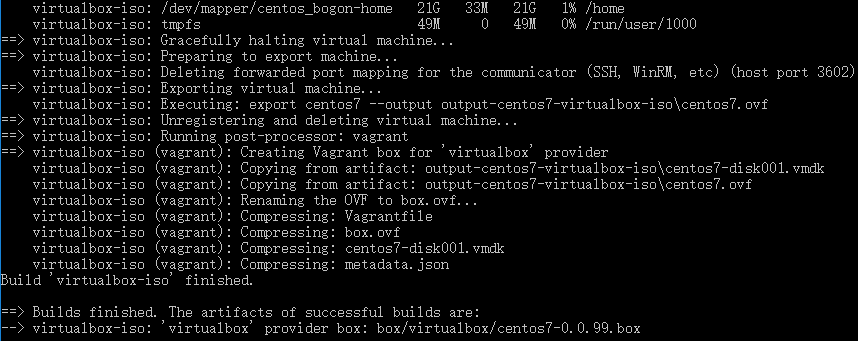
导入 box
通过以下命令将刚才打包好的 box 导入到 vagrant 中
vagrant box add centos-7.4 box/virtualbox/centos7-0.0.99.box
导入成功之后执行以下命令,可以查看到刚才导入的 box 文件
vagrant box list